

· AI & Agents
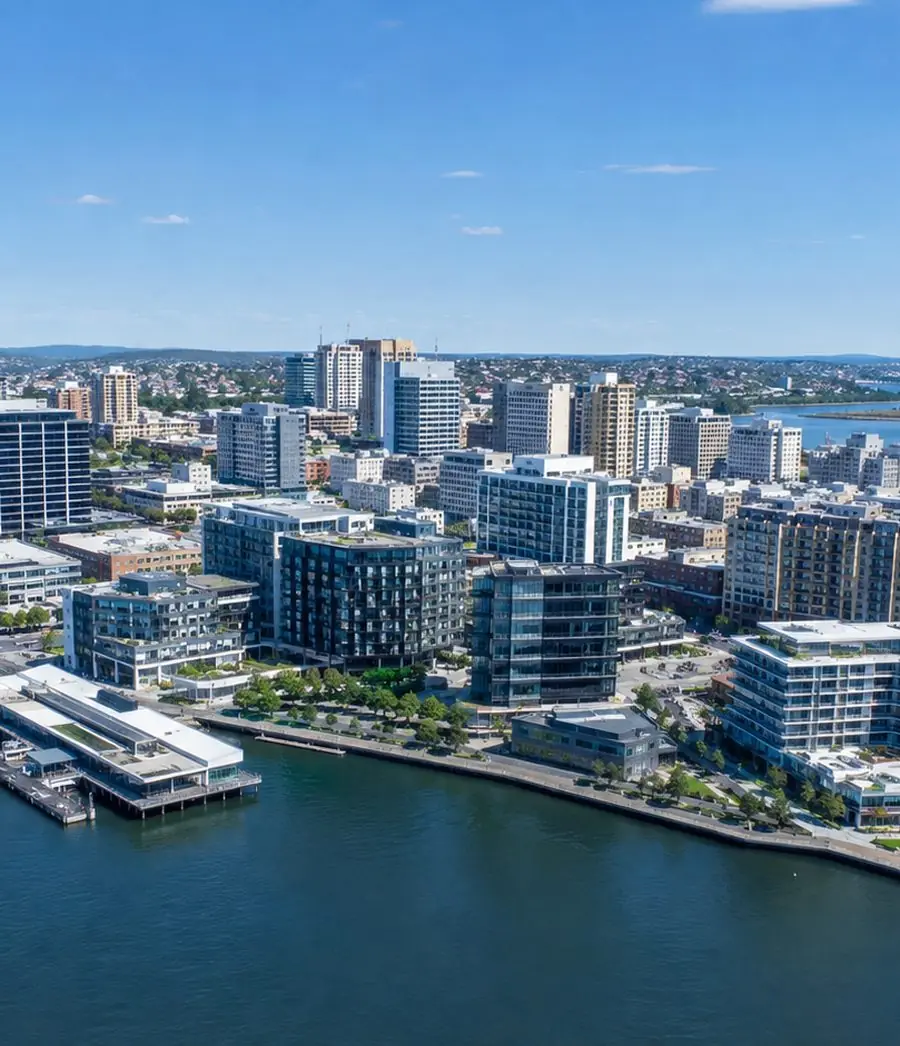
Managed IT services in Newcastle
We run IT for businesses across Newcastle and the Hunter, from head office to every site and field team, with a service desk integrated directly into Microsoft Teams and AI capability where it adds value.
Managed IT cost calculatorBuilt to carry the whole environment
Flexible service models for broader day-to-day responsibility or additional depth around an internal IT team.
Administration across Microsoft 365, identity, access, users, licensing and security controls, with Microsoft Copilot implementation and support within the managed environment.
Identity, endpoint security, patching, backup and DLP are part of Managed IT. SOC, MDR and Essential Eight work are available when you need more.
We design and deliver AI agents, workflow automation and integrations that work with business systems and information, from targeted process improvements through to broader connected business solutions.
Who we work with
Which sounds like you?Manufacturing and industrial operations
Industrial organisations depend on technology across offices, workshops, warehouses, yards, production environments and mobile teams.
We support the people, systems and suppliers behind those operations.
Engineering and project businesses
Engineering and project teams work across offices, sites, clients, contractors, specialist applications and changing project locations.
We help keep access, collaboration, devices, connectivity, infrastructure and support consistent as the work moves.
Multi-site and regional organisations
Regional organisations often operate through a combination of head office, branches, warehouses, clinics, depots and field teams.
They need common standards, clear escalation and visibility across sites rather than a different support arrangement for every location.
Healthcare and professional services
Clinics, advisory firms and other client-facing organisations depend on secure access to email, documents, business systems and collaboration platforms.
We keep the environment practical for users while identity, information, backup and recovery remain controlled.
Organisations with internal IT
Internal IT brings valuable knowledge of users, applications, sites and operational priorities.
We add depth across Microsoft 365, cloud, networks, security and projects, while your team stays in charge.
Trusted by Australian businesses
Long-term client relationships across industrial operations, engineering, property, professional services and healthcare.









What we manage across offices, sites and field teams
Managed IT covers the people and technology doing the work, as well as the infrastructure, networks, security, suppliers and dependencies behind them.








What would Managed IT cost across your sites?
Set your users and sites to see an indicative monthly cost.
Your business runs across sites, but your support still acts like it's one office
Site issues become head-office problems
Branches, workshops, warehouses and project locations may have different devices, networks, suppliers and dependencies. A local fault quickly becomes a head-office coordination exercise because nobody has clear ownership of the whole site environment.
Vendors keep handing the issue back
The carrier points to the firewall. The application vendor points to the network. The hardware supplier says the device is working. The client is left collecting evidence and moving the issue between suppliers.
Infrastructure ages without a plan
Firewalls, switches, Wi-Fi, servers, backup systems and site hardware remain in place until support expires or something fails. Without clear lifecycle ownership, replacement becomes an emergency rather than a planned decision.
Recovery confidence is assumed
Backups may exist, but restore assumptions, site dependencies and recovery priorities have not been properly tested.
On a working site, downtime stops production, dispatch or project delivery.
Field users receive office-style support
Mobile teams, shared workstations, remote access and site applications create different requirements from a conventional office environment.
Support becomes frustrating when the service does not understand how the work is actually performed.
Internal IT cannot be everywhere
Internal IT may understand the business exceptionally well but cannot carry users, Microsoft 365, infrastructure, sites, cybersecurity, networks, vendors and project work alone.
Important technical work keeps losing to the next urgent operational issue.
Recognise the pattern?
Discuss your IT environmentThe difference is whether every site becomes easier to support over time
| Reactive support | Managed IT with Inlight IT |
|---|---|
| 01Treats each site issue as a separate request | Uses common standards across sites, devices and networks |
| 02Escalation depends on individual knowledge | Engineering capability is available when the issue requires it |
| 03Each supplier manages its own component | We coordinate the technical path across suppliers |
| 04Site dependencies remain in people’s heads | Networks, vendors and operational dependencies are documented |
| 05Security controls vary between locations | Security controls are managed consistently across the environment |
| 06Infrastructure is replaced after it becomes urgent | Lifecycle and support status are planned |
| 07Projects sit outside normal support | Delivery and ongoing operation remain connected |
The difference isn’t remote or local support; it’s whether your provider understands the environment well enough to own the outcome
Where are you starting from?
Most Newcastle and Hunter Managed IT conversations begin from one of three situations.
We need day-to-day IT managed
We manage the environment day to day: business IT support, monitoring, patching, Microsoft 365 and identity, endpoints, infrastructure, networks, backup, vendors, documentation and cybersecurity.
Leadership keeps visibility over priorities, risk and planned improvement without carrying the day-to-day IT function internally.
Managed IT →We have internal IT and need more depth
Internal IT stays close to users, applications, sites and business priorities. We add technical depth and capacity across infrastructure, cybersecurity, Microsoft 365, networks, backup, escalation and project delivery.
Responsibilities are clearly defined so the two teams strengthen each other rather than duplicate work.
Co-managed IT →We are replacing our current provider
We establish the existing environment, access, documentation, infrastructure, networks, backup, suppliers, security controls, known issues and responsibilities.
Control then moves progressively so users keep working while the environment comes under management.
Replacing your MSP →From onboarding to ongoing improvement
Understand and agree scope
We map your users, sites, systems, suppliers and known issues, then agree responsibilities, escalation paths and SLAs from the start.
Transition without disruption
Access, monitoring, patching, backup and security controls come under management progressively, so users keep working throughout.
Support and manage
Service desk, Microsoft 365, monitoring, vendors and security run day to day, and issues that cross systems or suppliers stay with us.
Keep improving
Recurring issues, security gaps and ageing technology stay visible, and where AI or automation could improve a process, we take it into delivery.
Managed IT built around the operation, not just the office
Why clients stay with us
01Technical capability beyond the service desk
Capability across Microsoft 365, Copilot, cloud, infrastructure, networks, backup and cybersecurity sits behind the Managed IT service, so complex issues reach the right specialist.
02Project delivery stays connected to the environment
Infrastructure, cloud, network, Microsoft, cybersecurity and automation projects are delivered with ongoing operation, documentation and ongoing support in mind.
03Security is built into daily operations
Identity, endpoints, patching, privileged access, backup and monitoring are managed together, all year round.
04We stay accountable across carriers and vendors
When an issue involves a carrier, application vendor, cloud platform, hardware supplier or local contractor, we coordinate the technical path through it.
Clients are not handed a list of suppliers and asked to manage the resolution themselves.
05AI in how we deliver and what we build
Our service desk is integrated directly into Microsoft Teams, with automation and AI-assisted triage behind it. We also design and deliver AI agents, workflow automation and integrations around the systems our clients use.
06Long-term relationships, built through referral
Many clients have worked with us for five years or more. Much of our growth has come through clients introducing us to other organisations that expect the same technical standard and level of ownership.
Questions Newcastle and Hunter organisations ask about Managed IT
What is included in Managed IT services?
It covers support, monitoring and patching, devices, Microsoft 365 and Entra ID, Copilot, networks and infrastructure, backup, vendors and core security controls.
For regional and multi-site organisations, the service may also include site dependencies, field users, connectivity, local hardware and supplier coordination.
Do you provide onsite IT support across Newcastle and the Hunter?
Yes. Most day-to-day support can be delivered remotely because that is generally the fastest approach.
Onsite support is available where hardware, networks, site access, onboarding, vendor activity or the nature of the issue requires physical attendance.
Can you support multiple sites, workshops and field teams?
Yes. We apply one standard for identity, devices, networks and security across every site, while allowing for how each site actually works.
Can you work alongside our internal IT team?
Yes. Internal IT stays close to users, sites, applications and business priorities while we add capacity and capability across Microsoft 365, cloud, infrastructure, networks, cybersecurity, backup, escalation and project delivery.
How does cybersecurity fit into Managed IT?
Cybersecurity forms part of everyday IT management, including identity, MFA, endpoint protection, patching, Microsoft 365 security, privileged access, DLP, backup visibility and monitoring.
Deeper SOC, MDR and specialist cybersecurity services can be added where required.
How much do Managed IT services cost in Newcastle?
Most fully managed environments fall between $99 and $270 per user per month ex GST.
Pricing depends on users and sites, the technology being managed, security requirements and the level of responsibility we take on. Microsoft licensing, hardware, project work and additional specialist services are identified separately where applicable.
Use our Managed IT cost calculator to build an indicative estimate for your users, sites and selected services.
Is Microsoft Copilot part of Managed IT?
Yes. We implement and support Microsoft Copilot within the Microsoft 365 environments we manage, including the identity, permissions, security and information controls around it.
Microsoft licensing is separate.
Can you build AI agents and workflow automation?
Yes. We design and deliver AI agents, Power Platform automation, integrations and connected business solutions around the systems and information our clients use.
The scope depends on the process, systems and level of integration involved.
What size organisations do you support?
We support organisations from approximately 10 users through to larger multi-site and co-managed environments approaching 1,000 users.
The Managed IT model is particularly relevant where technology is operationally important and clear responsibility across sites, infrastructure, vendors and users matters.
What does the P1 response commitment mean?
A P1 is a critical, business-impacting issue such as an outage, cyber incident or major connectivity failure. Our response target is under 15 minutes, with escalation based on severity and the systems affected.
Let’s talk
Managed IT across users, Microsoft 365, infrastructure, sites, networks and cybersecurity, with Copilot built into the service and the capability to go further with AI, automation and connected solutions.